

A few weeks ago I wrote about how to connect Substack to Claude, even if you’re not a Bestseller. (Using Gemini instead? Here’s how to connect Substack to Gemini.)
Now you can do it with ChatGPT, too.
Substack’s “MCP connector” does work with ChatGPT too - in developer mode - but it has the same catch: you have to be a Substack Bestseller to use it.
The official connector lets you ask about your publication’s subscribers, revenue, traffic, and retention. Which is useful!
But your dashboard doesn’t tell you who you’ve been talking to, which conversations you’ve left hanging, or who’s been showing up for you lately.
And those are some of the most important things happening on Substack.
Relationships are how you grow here. We need help keeping track of them.
So Orbit is now a ChatGPT Plugin, too.
Orbit is a tool for Substack writers that remembers the people you talk to and what your writing does. You don’t need a Bestseller badge.
Orbit is included with a paid subscription to What’s Working Right Now ($12/month). That gets you the Orbit app, Chrome extension, and now the ChatGPT plugin too.
How to connect Substack to ChatGPT
1. Set up Orbit
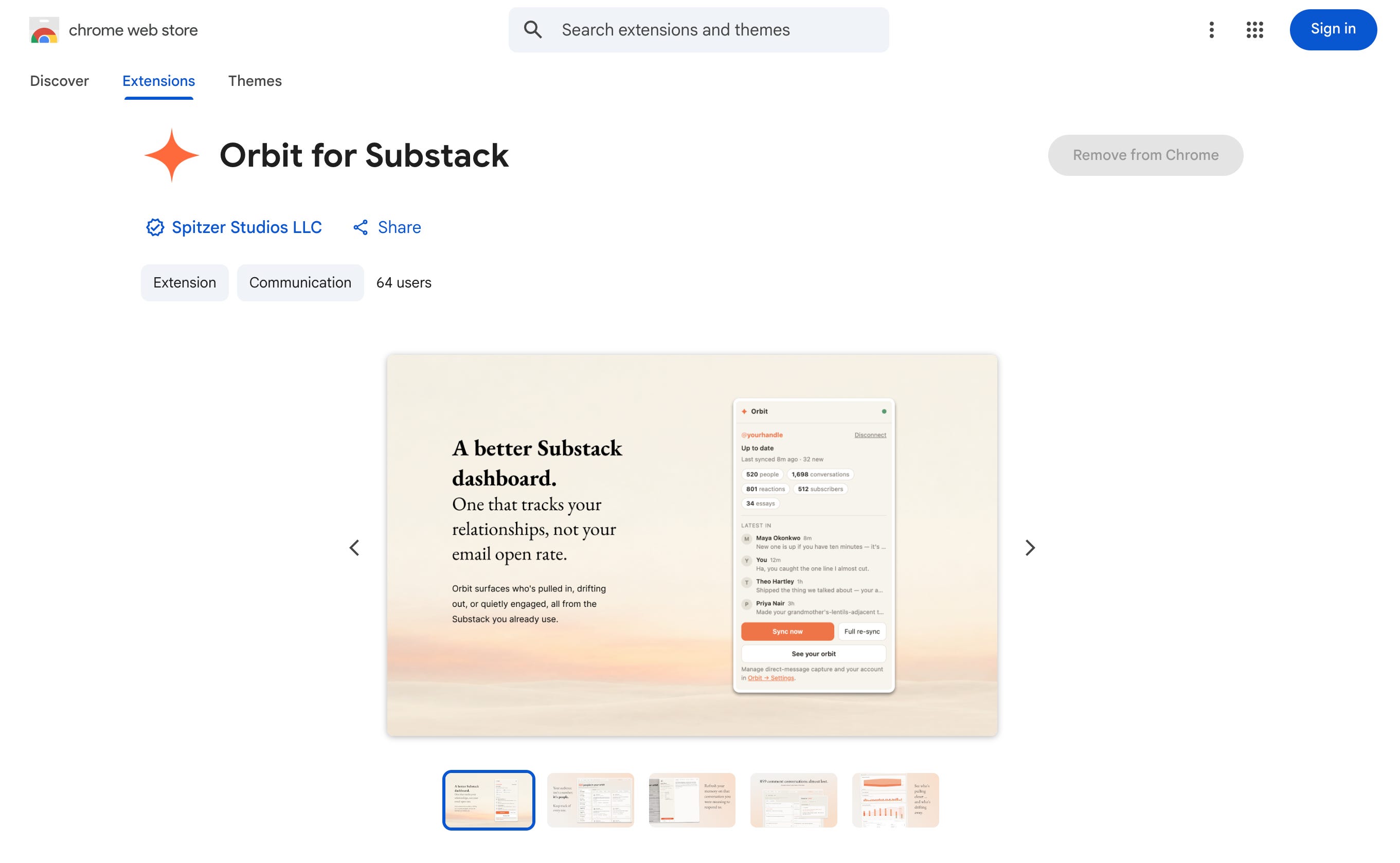
Orbit keeps track of your Notes, comments, conversations, and subscribers while you use Substack.
Become a paid subscriber to What’s Working Right Now. That’s how you get Orbit!
Your access email arrives within minutes. Then sign in with that same email and install the Chrome extension.
Once it’s synced, ChatGPT can use all of that to answer questions about your Substack.
2. Connect Orbit to ChatGPT
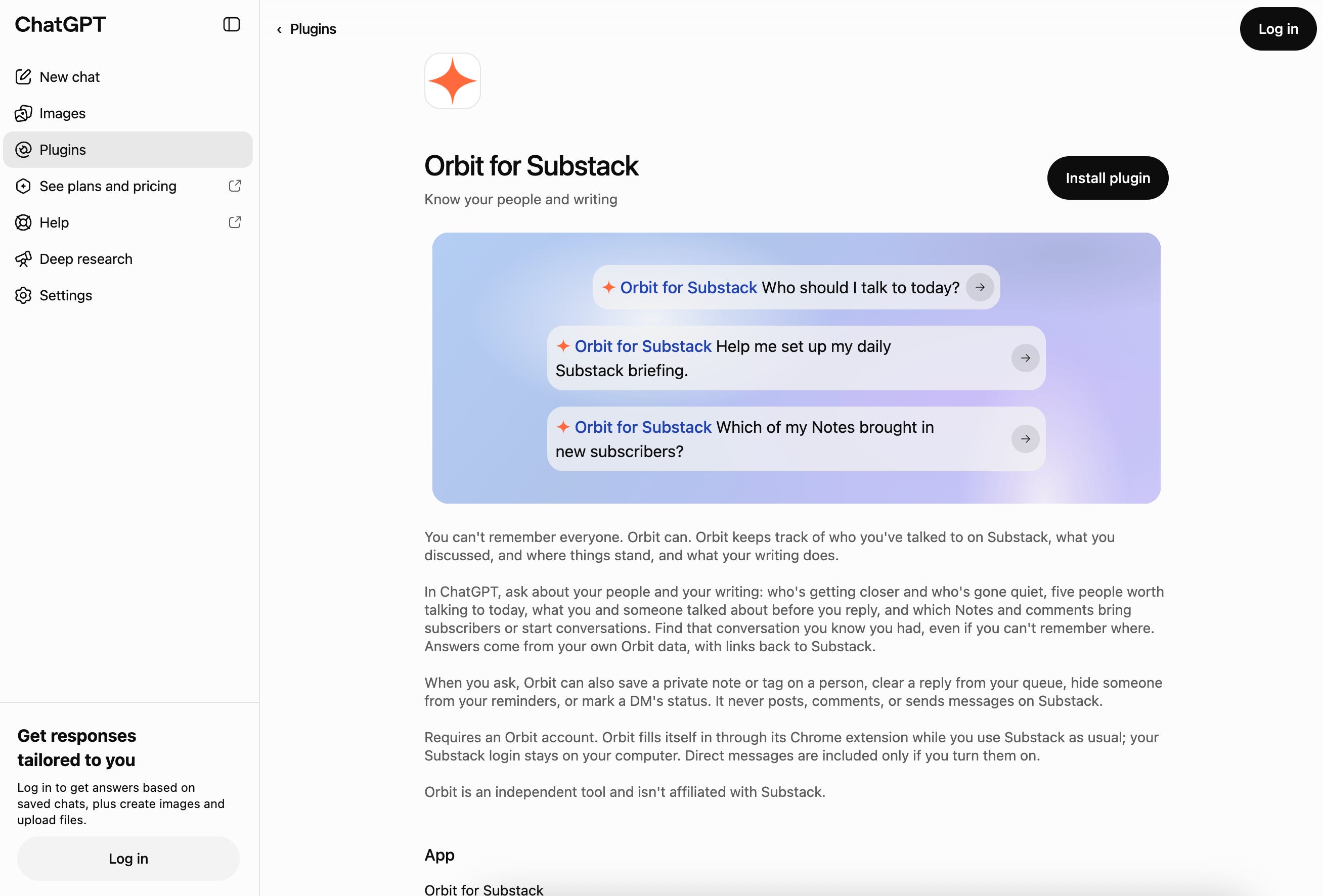
Open Orbit for Substack in ChatGPT’s plugin directory.
Choose Install plugin, then sign in to Orbit and approve.
No need to manually configure an MCP server or know what MCP stands for. Thank goodness.
3. Ask ChatGPT about your Substack
Once connected, open a fresh ChatGPT conversation and mention Orbit in your question.
You can ask about subscribers, Notes, comments, conversations, and what people around you are talking about.
The more I use AI this way, the more convinced I am that its best job isn’t necessarily writing things for us. It’s helping us make sense of everything we’ve already said, done, and learned.
Three things to try
These come straight from what Orbit users have told me they do most.
1. Who’s waiting on me after a busy week?
Use Orbit. I’ve been away from Substack for a few days. Who’s waiting on a reply from me? Start with the people I talk to most.
This is the one people thank me for most. When Maura’s note went a little viral, Orbit is how she kept track of who to reply to. Nirnaya put it this way:
“Thanks to Orbit I spent last evening catching up on messages and comments I hadn’t responded to. Orbit helped me follow through.”
2. Can ChatGPT brief me every Monday?
Use Orbit. Give me a briefing of who’s in my orbit and what they’re talking about this week. Then make this a scheduled task for every Monday at 7am.
Priya came up with this one, in ChatGPT, before I did:
“I set up a scheduled task on Monday mornings for ChatGPT to give me a briefing of who’s in my orbit and what they’re talking about. I usually don’t get to check Orbit until after work so it’s been helpful in making my time more intentional.”
3. Can ChatGPT find something I wrote months ago?
Use Orbit. Find the note I wrote in September about having more fun.
Scrolling back through months of your own Notes takes FOREVER.
Orbit has every one. Wildsite ✦ Erin-Marie this week: “I wanted to find a note I wrote from September. Thank you Orbit!”
What else can you do?
I use Orbit with ChatGPT to remember conversations, find unanswered comments, figure out who I promised to follow up with, and see which Notes brought in new subscribers.
I wrote a whole article with 10 actual ways I used ChatGPT and Claude for Substack, including the prompts and what I learned.
What I love most is being able to ask questions about my Substack without downloading spreadsheets, digging through notifications, or trying to remember where I had a conversation three weeks ago.
One thing Orbit never does is post for you. ChatGPT can’t comment, like, or send a DM through Orbit. I want to be the one having those conversations.
But if it can help me remember what someone said three weeks ago, notice a person I’ve been meaning to reconnect with, or find a thought I buried in somebody else’s comment section?
YES PLEASE!
Want to try it?
Get Orbit and connect it to ChatGPT.
No Bestseller badge required 😉

Hi! I’m Rebecca 👋
I’m a tech leader, mom of two, and chronic builder of things in the margins.
I write about what I’m building, and what works (and sucks) as I run a solo business in about two hours a day.
I’m especially interested in helping solopreneurs grow - with tech that gets them closer to their people, not further away.
If you want to use the tools I’m building, paid subscribers get access to Orbit, which helps you keep track of the people, conversations, and relationships behind your Substack.
And if you’ve got an idea for something we could build together, I always love talking shop. DM me! ❤️


The Monday briefing idea is clever, and I love that a user came up with it before you did. "Who's waiting on a reply from me?" is the one I'd use most, because the comments that slip through after a busy week are often from the people you most want to keep. The hard line that it never posts or comments for you matters too. The conversations stay yours. Have you noticed people getting back to their regulars faster once they can see who's been waiting longest?
Why’d they only open to bestsellers? But cool you found another way